
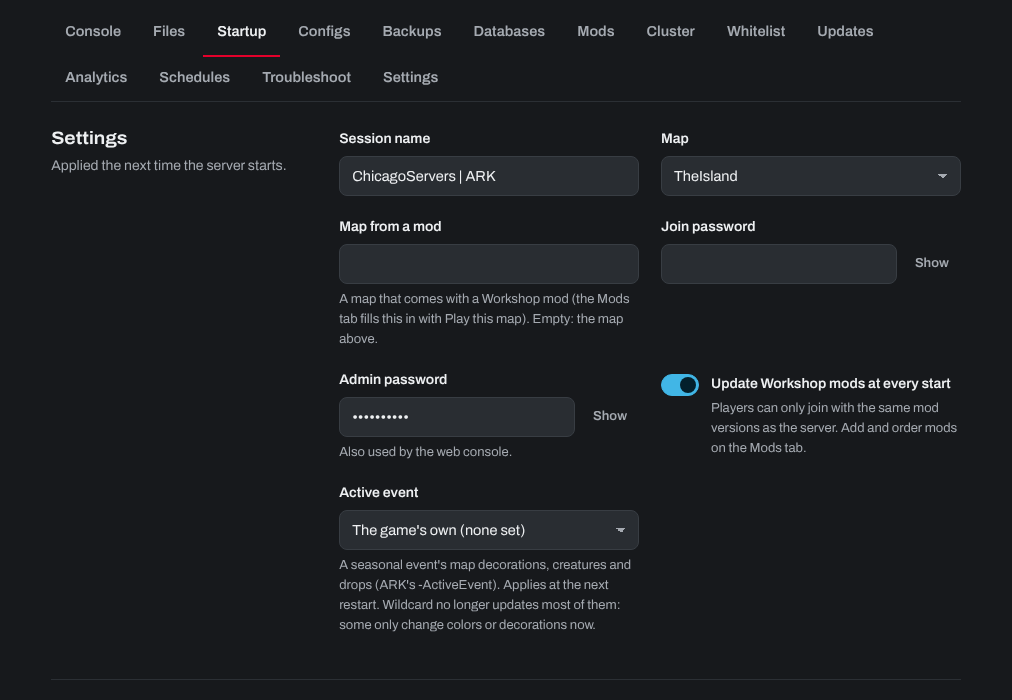
Your ARK server's name (its session name), join password and admin password are on the Startup tab of your server in the control panel. Game settings such as XP, taming and harvest rates are on the Configs tab.
- Sign in to the control panel at panel.chicagoservers.co and open your ARK server.
- Open the Startup tab and change Session name (the name players see in the server list), and the Join password or Admin password if you like.
- Click Save startup, then Restart at the top of the page.
For everything else in GameUserSettings.ini, open the Configs tab and choose Game settings. The common settings are fields you fill in; click Text to edit the whole file. Click Save, then restart the server.
You don't need to set the ports, player slots or multihome: the panel sets these for you.
Need help? Open a support ticket and we'll take a look.