
Modpacks install with one click from the Mods tab, with the right mod loader, Minecraft version and Java version.
- Sign in to the control panel at panel.chicagoservers.co and open your Minecraft server.
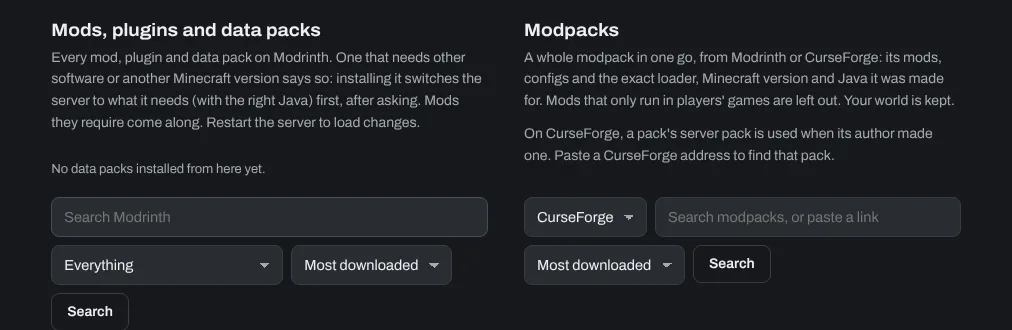
- Open the Mods tab and scroll to Modpacks.
- Choose CurseForge or Modrinth, search for the modpack (or paste its link) and click Search.
- Click Choose… next to the modpack, pick the version and click Install this version, then confirm. Leave Move current mods and configs aside first (recommended) ticked.
- Progress shows on the tab. When it's done, start the server.
A modpack replaces the server's mods. Your world is kept, but a world made without the pack's mods may not load properly with them: start a new world (the World name (folder) setting on the Configs tab) if you see errors.
Every player needs the same modpack in the same version: in the CurseForge app or the Modrinth app, install the pack and join from there.
Single mods, plugins and data packs are added under Mods, plugins and data packs on the same tab. See How to install CurseForge Mods onto your Minecraft Server.
Need help? Open a support ticket and we'll take a look.