
Hardcore is Rust's tougher game mode. The map starts covered in fog of war and is revealed as you explore, and you only see your own position on it with a compass on your belt. Guns can't be crafted or researched (you have to find them), ammo costs more to craft, sleeping bags and beds take longer to respawn at, and upkeep costs double. Rust also has a Softcore mode, where players keep part of their loot when they die. You choose the game mode on the Startup tab of your server in the control panel.
- Sign in to the control panel at panel.chicagoservers.co and open your Rust server.
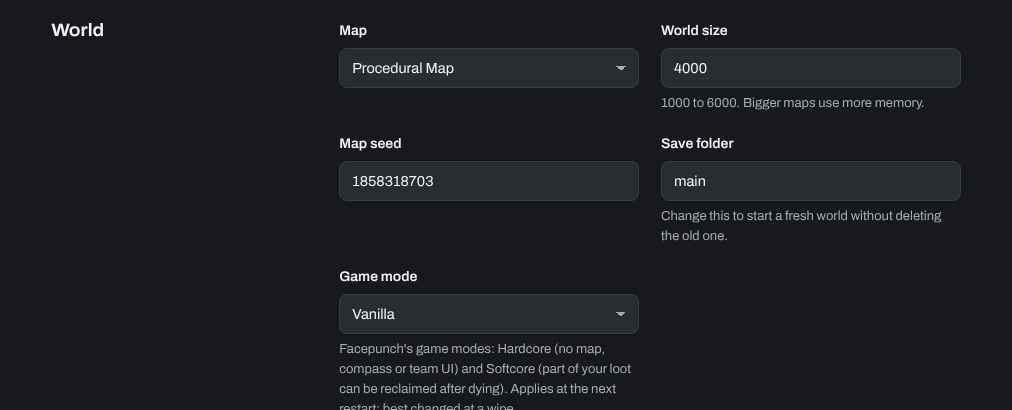
- Open the Startup tab. Under World, set Game mode to Hardcore (or Softcore, or Vanilla for the normal game).
- Click Save startup, then Restart at the top of the page.
Change the game mode at a wipe: switching in the middle of a wipe resets every player and their inventory. To start a fresh world at the same time, see How to wipe player data or the world on a Rust server.
Your server's other settings (name, map, world size, seed and RCON password) are on the same tab. See How can I change my Rust server seed, RCON password, and other options?
Need help? Open a support ticket and we'll take a look.