
With the whitelist on, only the players you list (and operators) can join.
- Sign in to the control panel at panel.chicagoservers.co and open your Minecraft server.
- Open the Whitelist tab and turn on Whitelist on.
- Under Add players, type their Minecraft names (several at once, separated by spaces or commas) and click Add.
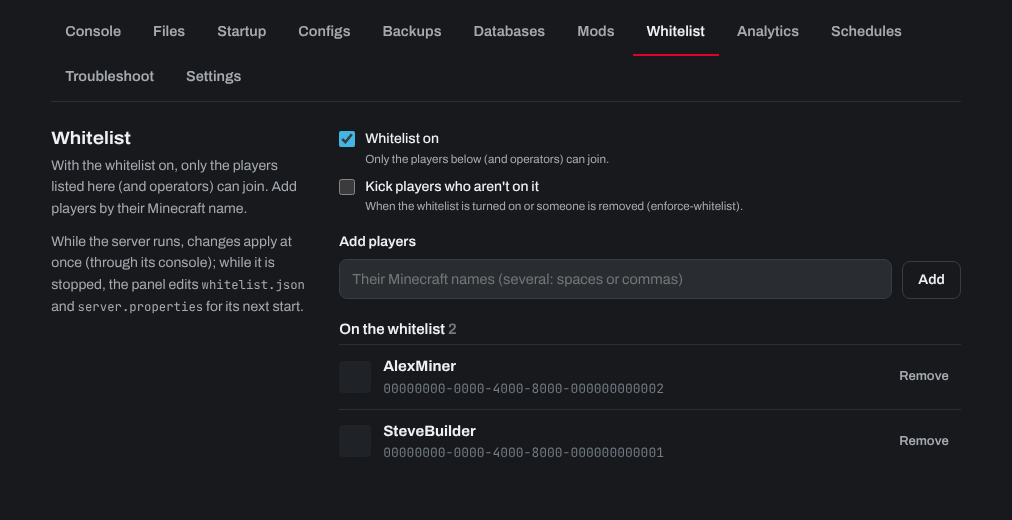
While the server runs, changes apply at once. While it's stopped, the panel saves them for its next start. Turn on Kick players who aren't on it to remove players already online who aren't on the list.
You can also use the game's own commands on the Console tab: whitelist add Name, whitelist remove Name and whitelist on.
Need help? Open a support ticket and we'll take a look.