
Yes. Plugins keep what they remember (kits used, homes, backpacks, economy balances, clans and so on) in data files, which you can wipe without touching the plugins or their settings.
- Sign in to the control panel at panel.chicagoservers.co and open your Rust server.
- Open the Wiper tab and scroll down to Plugin data.
- Tick All plugin data to wipe everything in
oxide/dataandcarbon/data, or tick the plugins you want to start fresh. You can also type names under Or type names, separated by commas, for exampleBackpacks,Kits: a file or folder in oxide/data or carbon/data, without .json. Names are case sensitive. - Click Wipe. The server stops, the data goes, and the server starts again by itself if it was running.
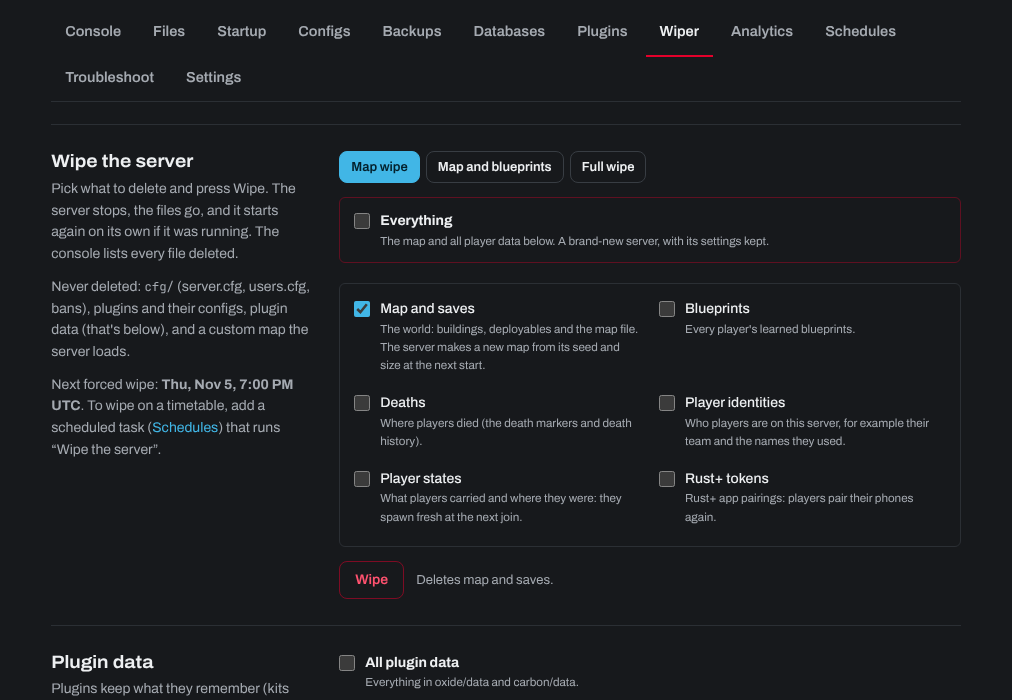
The plugins themselves and their configs are never deleted. To wipe the map at the same time, see How to wipe player data or the world on a Rust server.
Wiping plugin data on a schedule
- Open the Schedules tab and give the task a name.
- Under When, choose On days of the week and tick the day for a weekly wipe, or Once with a date (for example the next forced wipe, the first Thursday of the month, around 7 PM UK time or 2 PM US Eastern). Set the time.
- Under Steps, choose Install a game update, then choose Wipe plugin data in the list next to it.
- Under Data to delete, type the plugin data to wipe, separated by commas (for example
Kits,Backpacks), or*for all of it. - Click Add task.

You can add more steps to the same task, such as a message to players first (Send console commands), or another Install a game update step with Wipe the server to wipe the map too.
Need help? Open a support ticket and we'll take a look.