
RocketMod (its maintained version, Legally Distinct Missile, comes with the game) and OpenMod run Unturned server plugins: commands, kits, economy, protection and more.
- Sign in to the control panel at panel.chicagoservers.co and open your Unturned server.
- Open the Mods tab. Under Plugins, click Install next to RocketMod or OpenMod.
- Add a plugin from a link to its file, or upload its
.dllfile on the Files tab (or over SFTP) into the folder the Mods tab shows. - Restart the server. Plugins load when it starts; their config files appear after the first start.
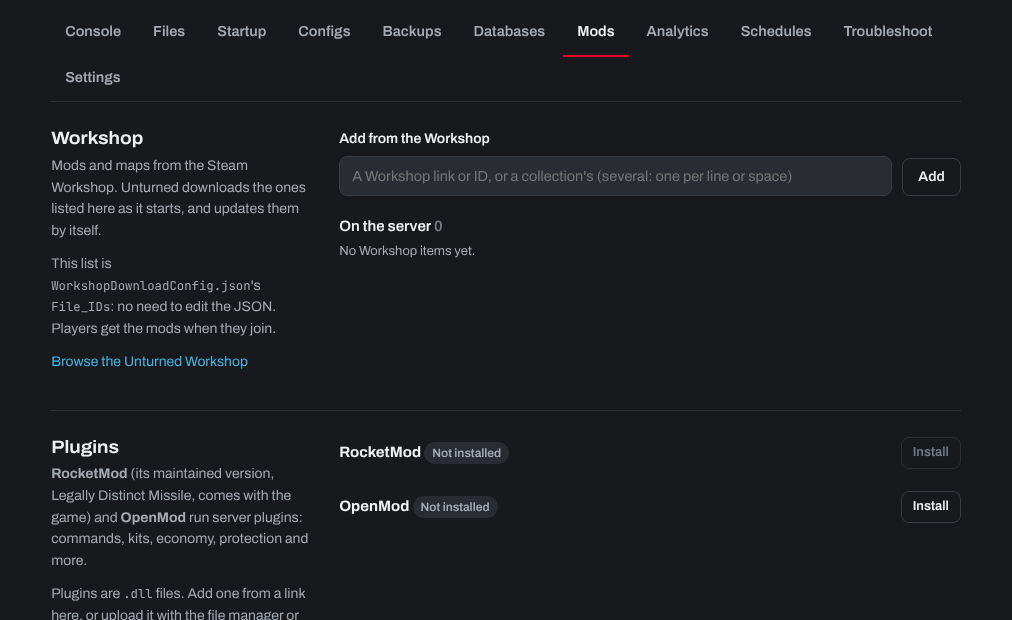
Workshop mods and maps are on the same tab: see How to install Steam workshop mods on your Unturned Server.
Need help? Open a support ticket and we'll take a look.