
Overview
ChicagoServers hosts Counter-Strike 2 servers in Chicago, with one-click plugins (Metamod and CounterStrikeSharp), Workshop maps, match controls and automatic updates in our control panel. This guide covers ordering your server, joining it and changing its settings. Our detailed guides are in the Counter Strike 2 Server Knowledgebase.
Creating a Counter-Strike 2 Server
- Go to the ChicagoServers Counter Strike 2 Hosting page, then to the order form.

- Submit the order and your server is set up automatically! You can pay right away and forget about it, or take advantage of the 24-hour trial by submitting the order and choosing PayPal. You then have 24 hours to take care of the invoice; the server is activated instantly either way.
- Easy as that! Your login for the ChicagoServers Control Panel is emailed to you. Don't forget to check your spam folder.
Players find your server and join it over the internet through its Steam game server login token (GSLT). The Server section of the CS2 tab shows whether it has a working one. See How to set a game server login token (GSLT) on your CS2 server
Joining a Counter Strike 2 Server
Your server's address (IP and port) is at the top of your server's page in the control panel: click it to copy it. In CS2, open the developer console (enable it under Settings › Game, then press ~) and type connect followed by the address, for example connect 203.0.113.25:27015. If your server has a join password, add ; password yourpassword.
You can also add the server as a favorite: open Steam and go to View › Game Servers, click Add a Server (the + button), enter the address and click Add this address to favorites. Then double click the server to join.
Changing Server Information
- Sign in to the control panel at panel.chicagoservers.co and open your server.
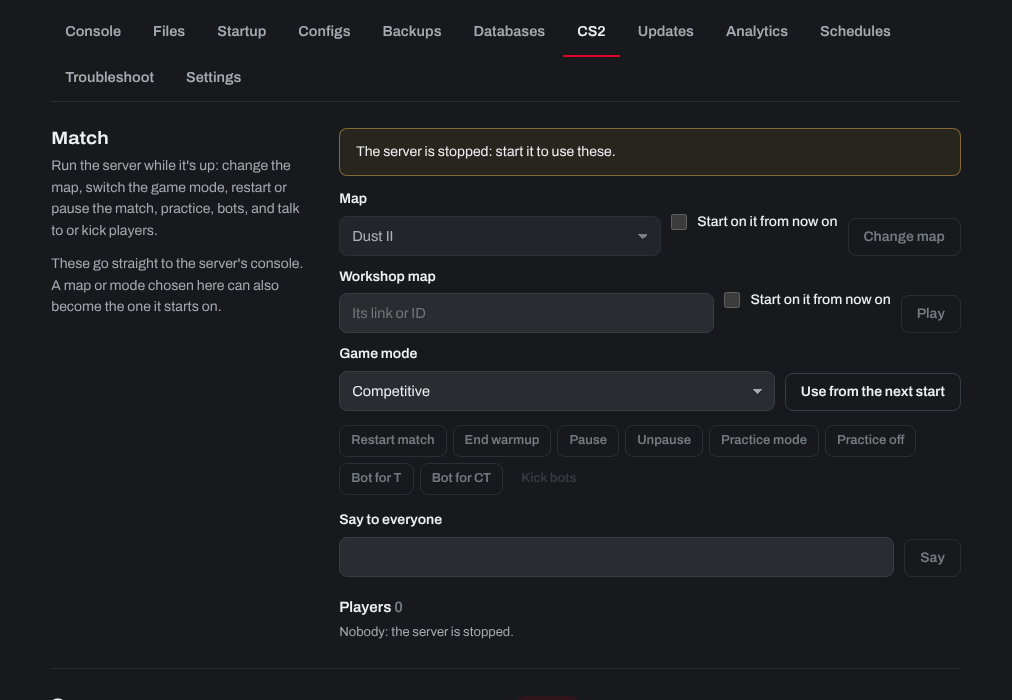
- Open the Startup tab to change the server name, game mode, map, Workshop map or collection and passwords; the Configs tab for server.cfg and each game mode's own settings; or the CS2 tab to change the map or mode while the server runs, and to add plugins and admins.
- Click Save startup (or Save on the Configs tab), then Restart at the top of the page.
Keeping it up to date
Players on a new CS2 version can't join a server that is behind. On the CS2 tab, turn on Update by itself when Valve releases a CS2 update, or click Update now at the top of the server's page.
Need help? Open a support ticket and we'll take a look.