
CS2 server plugins (match systems, retakes, deathmatch, admin tools and more) run on Metamod:Source and CounterStrikeSharp. Both install with one click, and come back by themselves after every CS2 update.
- Sign in to the control panel at panel.chicagoservers.co and open your CS2 server.
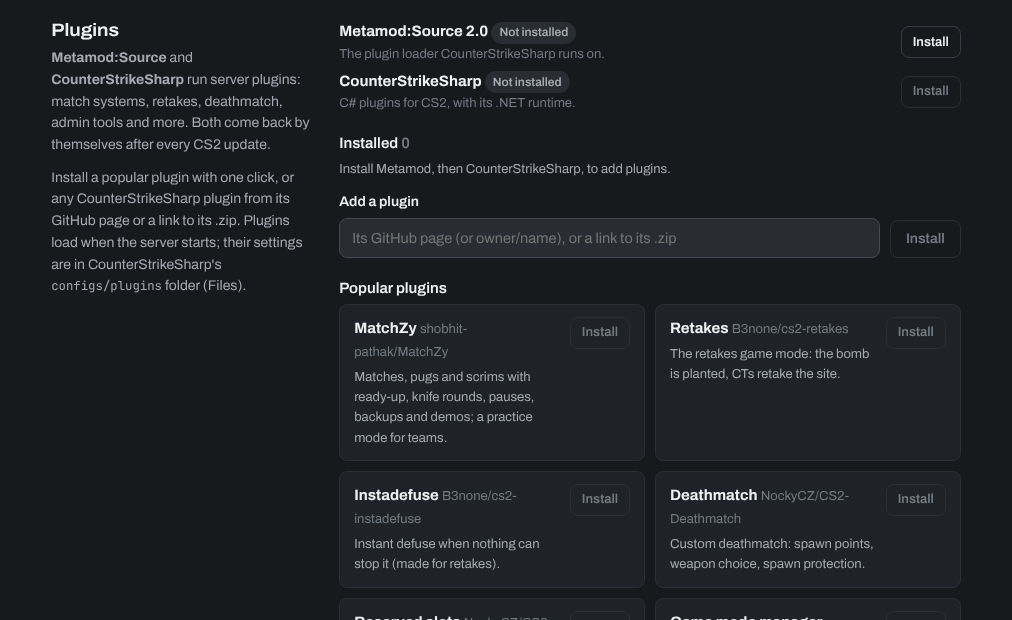
- Open the CS2 tab. Under Plugins, click Install next to Metamod:Source, then next to CounterStrikeSharp.
- Install a plugin:
- From Popular plugins (MatchZy, Retakes, Deathmatch, Reserved slots and others): click Install.
- Any other CounterStrikeSharp plugin: paste its GitHub page (or owner/name) or a link to its .zip under Add a plugin, and click Install.
- Restart the server. Plugins load when it starts.
A plugin's settings are in game/csgo/addons/counterstrikesharp/configs/plugins on the Files tab. Installed plugins are listed on the CS2 tab, where you can update or remove them.
Need help? Open a support ticket and we'll take a look.