
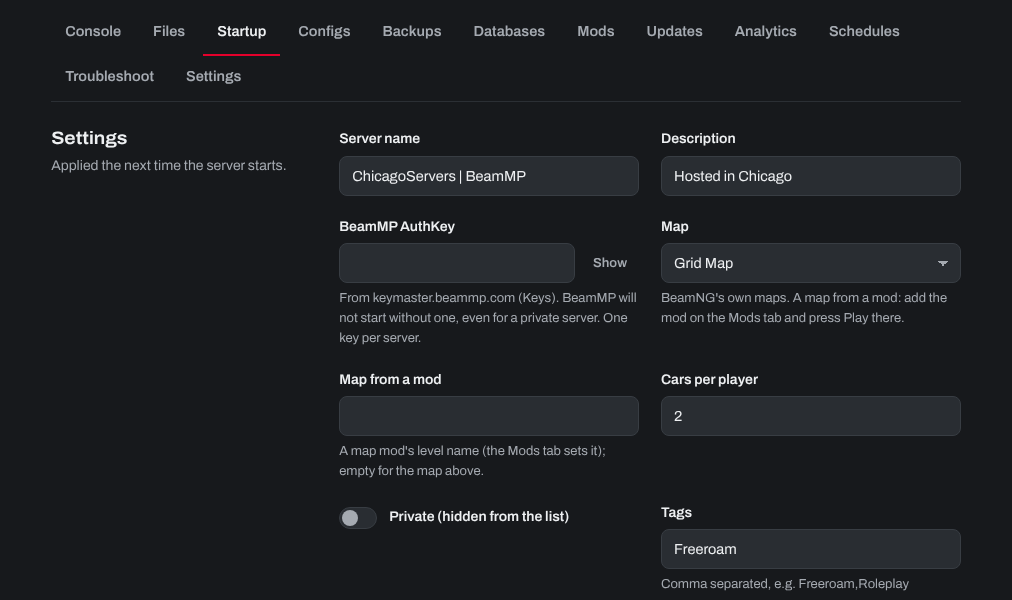
Every BeamMP server needs an AuthKey from BeamMP. It won't start without one, even as a private server. Each server needs its own key: one key can only run one server at a time.
- Go to keymaster.beammp.com and sign in with Discord.
- Click Keys on the left, then the green + at the top right. Type a name for the key (it's only a label, not your server's name) and click Create. Copy the key.
- Sign in to the control panel at panel.chicagoservers.co and open your BeamMP server.
- Open the Startup tab and paste the key into BeamMP AuthKey. Click Save startup.
- Click Start (or Restart) at the top of the page.
Don't share your key: anyone with it can run a server under your BeamMP account.
Need help? Open a support ticket and we'll take a look.