
Rust plugins need a plugin framework: uMod (Oxide) or Carbon. Both run uMod plugins (Carbon runs most of them), and both install with one click.
- Sign in to the control panel at panel.chicagoservers.co and open your Rust server.
- Open the Plugins tab. Under Change framework, click uMod (Oxide) (the classic framework) or Carbon (a faster, modern one). For Carbon, also choose the Carbon release: Production (recommended), Production, minimal or Edge.
- Click Switch to uMod (Oxide) or Switch to Carbon and confirm. The server stops while the framework installs and starts again by itself if it was running. If it was stopped, click Start when the install is done.
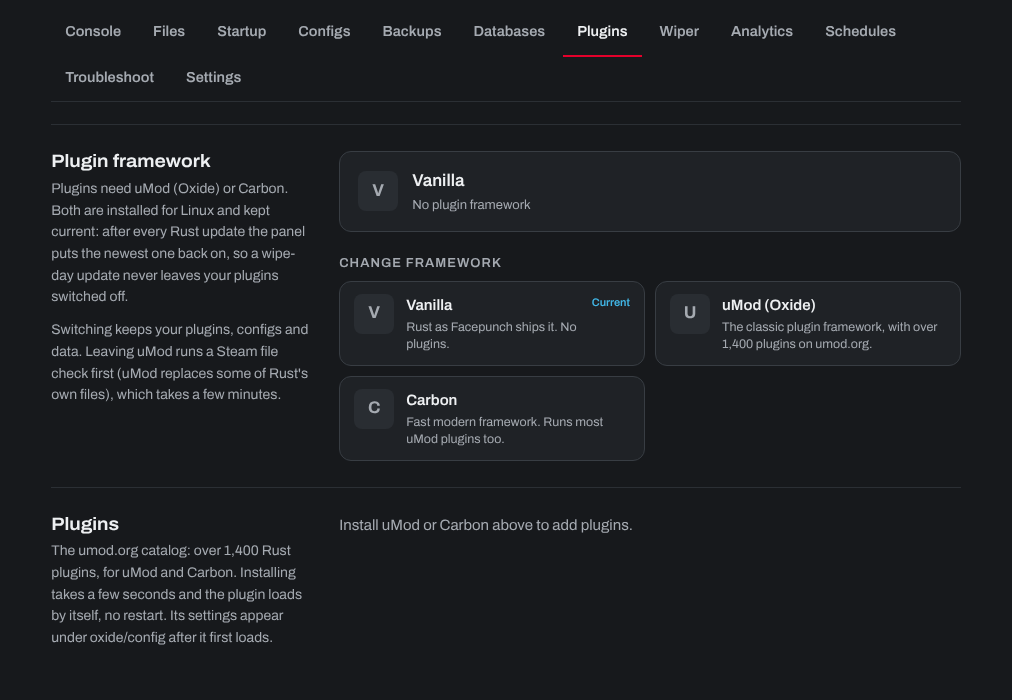
You don't need to reinstall the framework after a Rust update: the panel puts uMod or Carbon back on after every update, so a wipe-day update never leaves your plugins switched off. Carbon also checks for a newer build each time the server starts. For uMod, leave Update uMod when the server starts on (Startup tab) to get each new uMod release at the next restart.
Switching between uMod and Carbon: choose the other one on the same tab and leave Bring my plugins, configs and data over ticked. It copies them into the other framework's folders and keeps the originals. Leaving uMod runs a Steam file check first, which takes a few minutes. Choose Vanilla to run Rust without plugins.
To add plugins, see How to install Oxide plugins on your server.
Need help? Open a support ticket and we'll take a look.