
Mods are a great way to make your Unturned server stand out from the rest. They add tons of different content to the game and can alter your gaming experience. Luckily, our servers support Unturned Workshop mods with automatic downloading!
Automatically Installing Workshop Mods
- Find the Workshop mod or map you want. Its Workshop ID is the number at the end of its Workshop link (for example
?id=1234567890). - Sign in to the control panel at panel.chicagoservers.co and open your Unturned server.
- Open the Mods tab. Under Workshop, paste the Workshop link or ID in Add from the Workshop and click Add. There's no JSON to edit: the panel keeps the server's WorkshopDownloadConfig.json for you.
- Restart your server. Unturned downloads the Workshop items as it starts, keeps them up to date by itself, and players get them when they join.
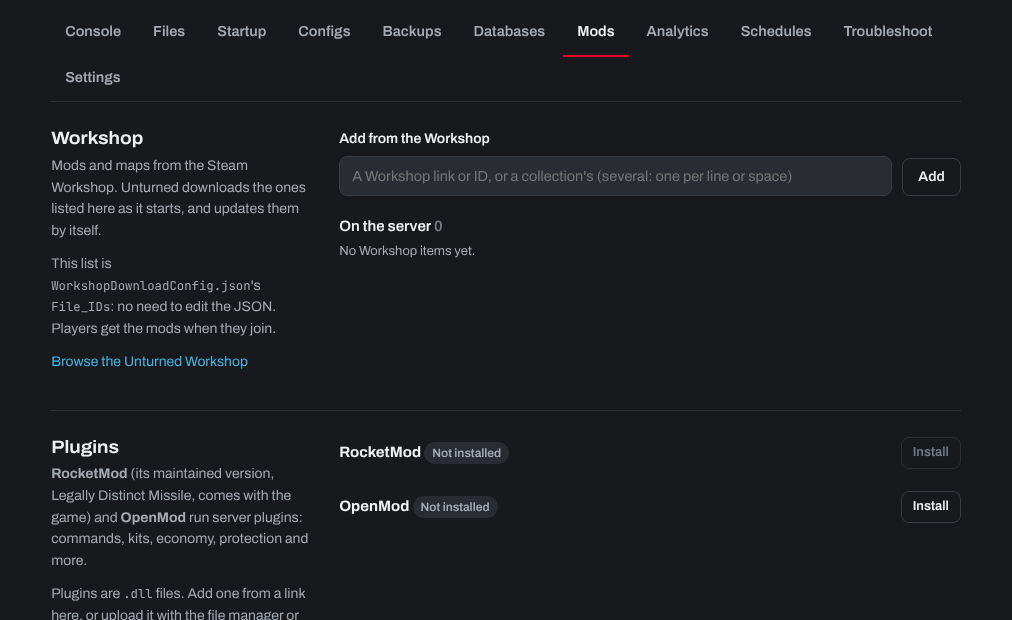
For a Workshop map, also set Workshop map on the Startup tab to the map's name. Server plugins (RocketMod and OpenMod) are on the same Mods tab.
Need help? Open a support ticket and we'll take a look.