
Rust lets you add a header image to your server. It's a great way to share information about your server or show your group or clan logo. The header image appears when players click your server in the in-game Rust server list.
Preparing the image
- The image must be 512x256 pixels, in .png or .jpg format.
- Upload it to an image host or website that anyone can open, and copy the full direct link to the image file (ending in .png or .jpg), not the link to the image's page. Each player's game loads the image from that link.
- Don't use Imgur: it is blocked in the UK, so players there wouldn't see your image.
- To resize an image to 512x256, you can use a website such as ResizeImage: scroll down to "Resize your image", untick "Keep Aspect Ratio", set the size to 512x256 and click "Resize Image".
Adding the header image to your server
- Sign in to the control panel at panel.chicagoservers.co and open your Rust server.
- Open the Startup tab and paste the link into Header image URL. You can also add your Website, which opens from the server browser. Both are optional.
- Click Save startup, then Restart at the top of the page.
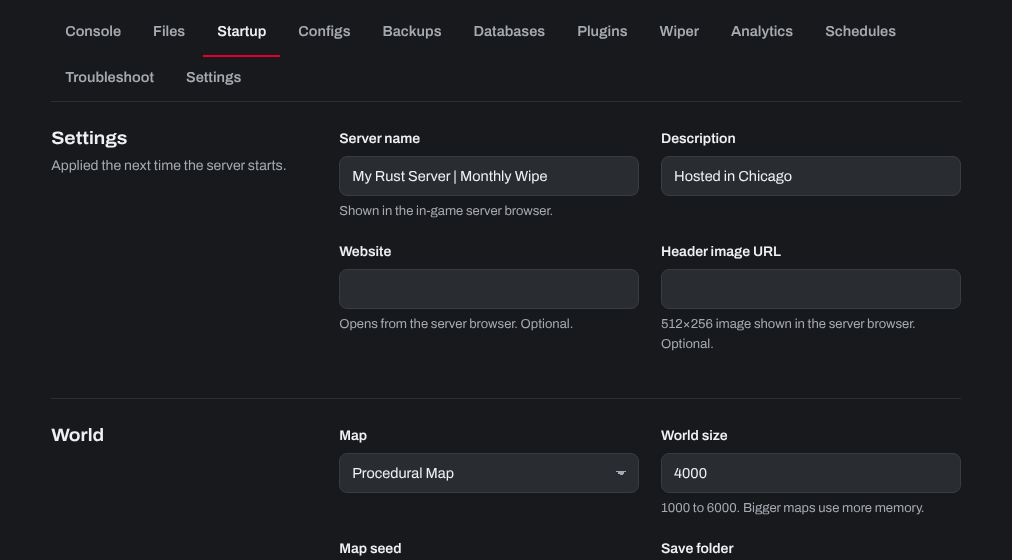
Now, when you view your Rust server in the in-game server browser, you'll see the header image you added. To test the link, open it in a private browser window: you should see only the image.

Need help? Open a support ticket and we'll take a look.