
To start fresh, you can either start a new world and keep your old one (so you can go back to it later), or delete your current world for good.
Keep the current world and start a new one
- Sign in to the control panel at panel.chicagoservers.co and open your Valheim server.
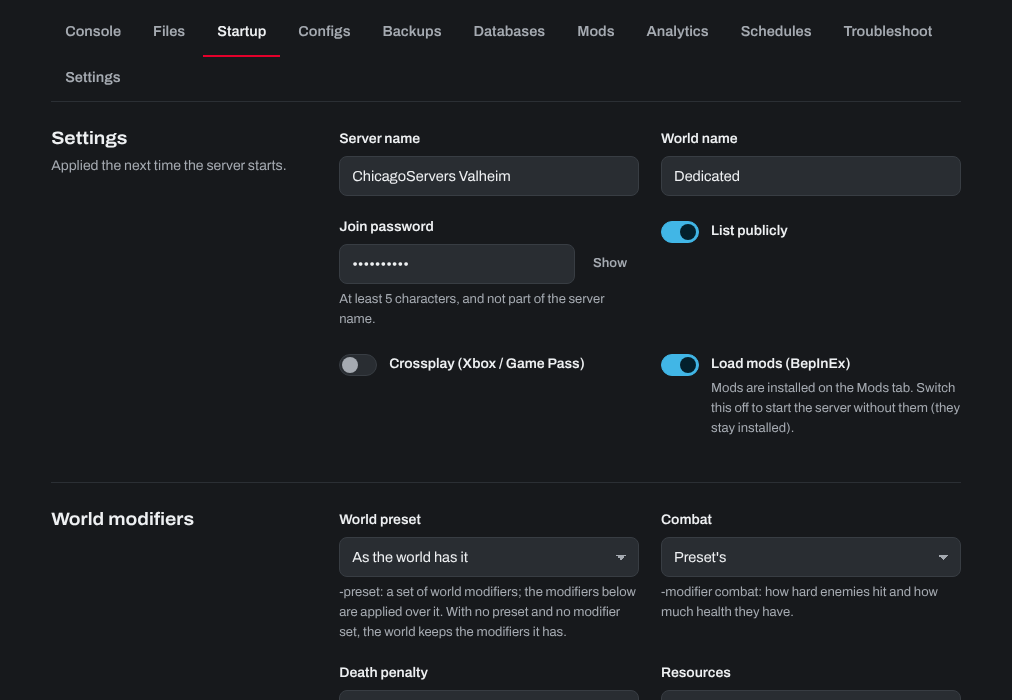
- Open the Startup tab and change World name to a new name.
- Click Save startup, then Restart at the top of the page.
A new world is made under the new name. Your old world's files stay on the server, and you can switch back to it any time by setting World name back to its name.
Delete the current world for good
- Click Stop at the top of your server's page.
- Open the Files tab and go to
saves/worlds_local. - Right-click the folder named after your world and choose Delete. If there are also files named after your world (
.db,.fwland their.oldcopies, from before Valheim 1.0), delete those too. - Click Start. A new world is made with the same name.
If the console says the world was copied to saves/worlds_local from another folder when the server starts, there was another copy of it on the server (for example in a worlds_local folder in the server's main folder). Stop the server, delete that copy too, and start again.
This can't be undone, except by restoring a backup from the Backups tab.
Need help? Open a support ticket and we'll take a look.