
A game server login token (GSLT) is what lets players find your CS2 server in the server browser and join it over the internet. Each server needs its own token.
Your server may already have one: open the CS2 tab and look at Game server login token under Server. Working means you're set. If it shows a Get a token button, click it and the panel makes one for you, then restart the server. Otherwise, make one with your own Steam account:
- Go to steamcommunity.com/dev/managegameservers and sign in with Steam. (Your Steam account needs CS2 in its library and a phone number on it, and mustn't be limited.)
- Enter 730 as the App ID, add a note (such as your server's name) and click Create. Copy the token.
- Sign in to the control panel at panel.chicagoservers.co and open your CS2 server.
- Open the Startup tab, paste the token into Game server login token and click Save startup.
- Click Restart at the top of the page.
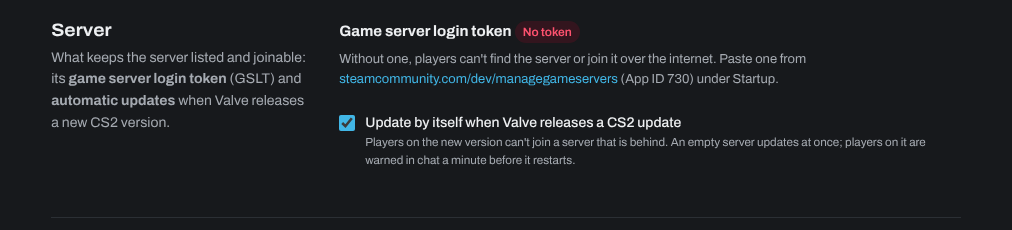
The Server section of the CS2 tab shows whether your token works. Turn on Update by itself when Valve releases a CS2 update there too: players on the new version can't join a server that is behind.
Don't share your token or use it on two servers at once: Steam can ban a token that's misused, and then you need a new one. A token that goes unused for a long time expires; you can renew it on the same Steam page.
Need help? Open a support ticket and we'll take a look.