
To switch your Soulmask server to the Shifting Sands DLC map, change one setting in the control panel.
- Sign in to the control panel at panel.chicagoservers.co and open your Soulmask server.
- Open the Startup tab and set Map to Shifting Sands (DLC).
- Click Save startup, then Restart at the top of the page.
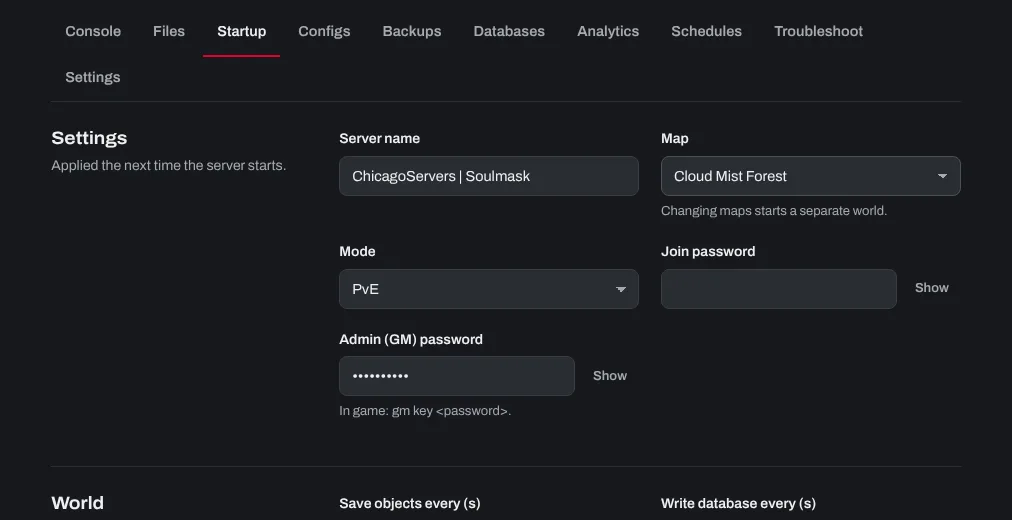
Your server now starts on the DLC map. Each map is a separate world: your Cloud Mist Forest world is kept, and you can switch back to it the same way.
Every player who joins a Shifting Sands server needs the Shifting Sands DLC in their Steam library. Players without it can't connect.
Need help? Open a support ticket and we'll take a look.