
To use content from other Source games (such as Counter-Strike: Source or Team Fortress 2) on your Garry's Mod server, the game's files need to be on the server and mounted in its mount.cfg file. The control panel does both for you.
- Sign in to the control panel at panel.chicagoservers.co and open your Garry's Mod server.
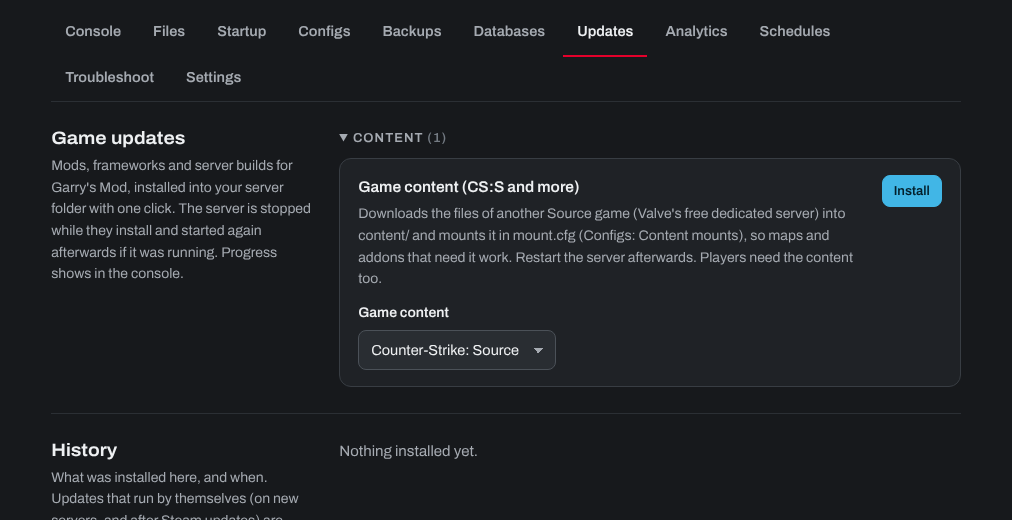
- Open the Updates tab and find Game content (CS:S, TF2 and more).
- Under Game content, choose Counter-Strike: Source, Team Fortress 2, Half-Life 2: Deathmatch or Day of Defeat: Source, and click Install.
- The panel downloads the game's files (Valve's free dedicated server) and adds them to mount.cfg. Your server keeps running while it downloads; you can follow the progress on the Console tab.
- When it's done, click Restart at the top of the page to load the content. To add another game's content, install it the same way.
Players need the same content in their own game too (for example, Counter-Strike: Source installed in Steam), or they'll see missing textures and errors.
You can see or change the mounts yourself: open the Configs tab and choose Content mounts (the server's mount.cfg file). A line with // in front of it is switched off. After changing it, click Save and restart the server.
Need help? Open a support ticket and we'll take a look.