
Two tokens let your Sandstorm server be listed and let players earn XP on it:
- A game server login token (GSLT): from steamcommunity.com/dev/managegameservers, made for App ID 581320 (the game, not the dedicated server's 581330). Needed to be listed in the server browser.
- A GameStats token: from New World Interactive's GameStats token generator at gamestats.sandstorm.game (you sign in with Steam). With a login token too, players earn XP and stats on your server.
- Sign in to the control panel at panel.chicagoservers.co and open your Insurgency: Sandstorm server.
- Open the Startup tab and paste the tokens into Game server login token and GameStats token.
- Click Save startup, then Restart at the top of the page.
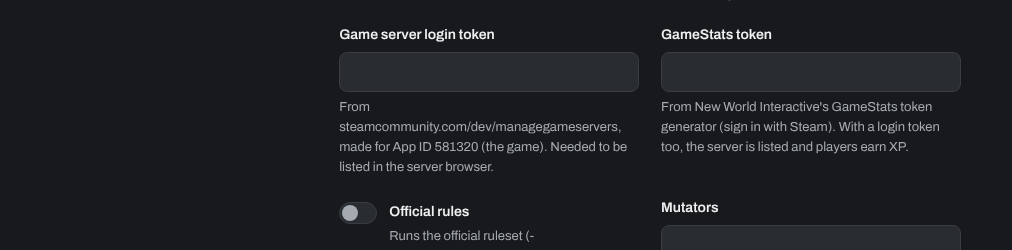
Each server needs its own tokens. Players only earn XP when the server has no Join password. Official rules on the same tab runs the official ruleset, for servers in the official-rules filter.
Need help? Open a support ticket and we'll take a look.