
Arma Reforger Crossplay Server Setup: PC, Xbox & PlayStation 5
Crossplay Configuration Code
To enable crossplay in your Arma Reforger server, ensure your configuration includes the following settings:
"crossPlatform": true,
"supportedPlatforms": [
    "PLATFORM_PC",
    "PLATFORM_XBL",
    "PLATFORM_PSN" ]
Modify your server configuration to look like the one below:
{
    "bindAddress": "0.0.0.0",
    "bindPort": 2486,
    "game": {
        "crossPlatform": true,
        "gameProperties": {
            "battlEye": true,
            "disableThirdPerson": false,
            "fastValidation": true,
            "networkViewDistance": 1000,
            "serverMaxViewDistance": 2500,
            "serverMinGrassDistance": 50
        },
        "supportedPlatforms": [
            "PLATFORM_PC",
            "PLATFORM_XBL",
            "PLATFORM_PSN"
        ]
    }
}
Arma Reforger Crossplay: Supported Platforms & Features
This guide will walk you through configuring your Arma Reforger server to support cross-platform play between PC, Xbox, and PlayStation 5 players. With the launch of Arma Reforger on PlayStation 5, the game now reaches a broader audience, offering authentic military simulation to console players with enhanced features.
PlayStation 5 Considerations
The PlayStation 5 version includes several exclusive features that server administrators should be aware of:
- DualSense controller integration with adaptive triggers
- Haptic feedback for enhanced immersion
- Motion control support for precise aiming
- Custom controller mapping options
Important Note: Currently, modded content is not available for PlayStation 5 players. Bohemia Interactive is working with Sony to implement mod support in future updates.
Prerequisites for Setting Up an Arma Reforger Crossplay Server
- Access to your server’s configuration files
- Basic understanding of JSON formatting
- Administrator access to your server panel
- Understanding of platform-specific limitations
Steps to Configure an Arma Reforger Server for Cross-Platform Play
1. Access Your Server Configuration
- Log into your server control panel
- Locate and open the config.json file for editing
2. Enable Crossplay Support
To enable crossplay, update your server configuration as shown above.
{
"bindAddress": "0.0.0.0",
"bindPort": 2486,
"game": {
"crossPlatform": true,
"gameProperties": {
"battlEye": true,
"disableThirdPerson": false,
"fastValidation": true,
"networkViewDistance": 1000,
"serverMaxViewDistance": 2500,
"serverMinGrassDistance": 50
},
"supportedPlatforms": [
"PLATFORM_PC",
"PLATFORM_XBL",
"PLATFORM_PSN"
]
}
}
3. Game Mode Compatibility
Your server can host any of the four official game modes, all supporting cross-platform play:
- Conflict: Large-scale strategic warfare
- Capture and Hold: Fast-paced territory control
- Combat Ops: Cooperative tactical missions
- Game Master: Custom scenario creation and management
4. Platform-Specific Configuration Considerations
PC Players
- Full mod support available
- Customizable graphics and performance settings
- Workshop integration
Xbox Players
- Limited mod support
- Optimized controller settings
- Console-specific performance settings
PlayStation 5 Players
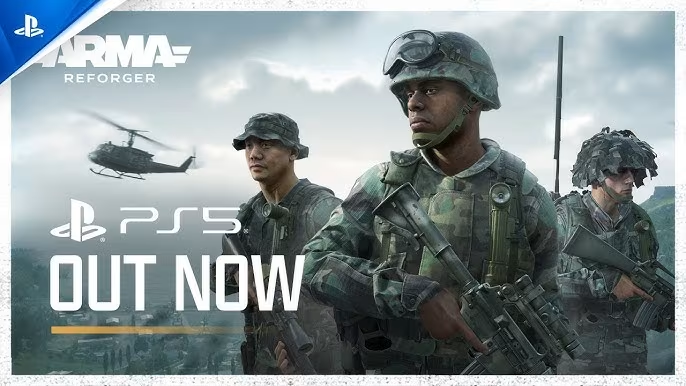
- No mod support at launch
- DualSense-specific features
- Console-optimized performance settings
5. Cross-Platform Mod Management
When configuring mods for your server, consider the following:
Current Limitations
- PlayStation 5 players cannot access modded content
- Servers running mods will not be accessible to PS5 players
- Future updates will introduce mod support for PS5
Server Configuration Options
- Run a vanilla server accessible to all platforms
- Run a modded server accessible to PC and Xbox players only
- Consider running multiple server instances for different player groups
6. Performance Optimization for Cross-Platform Servers
For optimal cross-platform performance, consider these settings:
Network Settings
networkViewDistance: 1000 (balanced for all platforms)serverMaxViewDistance: 2500 (ensures fair play)serverMinGrassDistance: 50 (consistent vegetation rendering)
Platform-Specific Adjustments
- Implement balanced view distances
- Configure server tick rates appropriate for all platforms
Conclusion
Setting up and maintaining a cross-platform Arma Reforger server requires careful consideration of various factors, from technical configuration to community management. By following this guide, you’ll be well-equipped to provide an excellent gaming experience for players across all supported platforms. Stay informed about updates and changes, particularly regarding upcoming PlayStation 5 mod support.
Cross-platform server administration is an evolving practice. As Bohemia Interactive continues to update and improve Arma Reforger, new features and capabilities may become available. Regular monitoring of official announcements and community feedback will help you maintain an optimal server environment for all players.