
How to download mods for Insurgency: Sandstorm
Since the 1.6 update, Insurgency: Sandstorm servers can download mods. Sandstorm's mods are hosted on mod.io, a site for downloading and managing mods for many games.
Log in to mod.io
You need a mod.io account to let your server download mods. You can sign in to mod.io with an account you already have on another service, or create a free mod.io account.
Make a token on mod.io
Once logged in to mod.io, click your username in the upper right corner to open your profile. Select API Access from the menu on the left.

In the OAuth 2 Management section, type a name for the token, for example "Insurgency training server", and give it read access (it doesn't need write access). Each server should have its own token. Click Create Token. Treat the token like a password and keep it secret.

Turn on mods on your server
- Sign in to the control panel at panel.chicagoservers.co, open your Insurgency: Sandstorm server and click Stop.
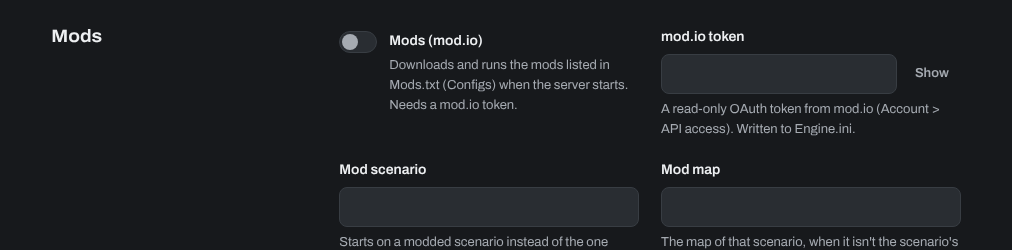
- Open the Startup tab. Turn on Mods (mod.io) and paste your token into mod.io token. Click Save startup. The panel writes the token to the server's config for you.
Find mods on mod.io
Browse Insurgency: Sandstorm's mods on mod.io and copy the ID number of each mod you want.

List your mods
Open the Configs tab and choose Mods (Mods.txt). Add each mod ID on a separate line, then click Save.

Mutators (if a mod needs one)
If a mod needs a mutator, add it to Mutators on the Startup tab (just the name, for example HeadshotOnly; separate several with commas).
Mod maps and scenarios
If a mod comes with its own map, set Mod scenario on the Startup tab to the scenario you want to start on (and Mod map, if the map's name isn't the scenario's own name).
Start the server. It downloads the mods as it starts.
Need help? Open a support ticket and we'll take a look.