
On a Palworld server you can make eggs hatch faster or slower with the PalEggDefaultHatchingTime setting. It's the time, in hours, that a Huge Egg takes to hatch; smaller eggs take less time. For example, 1 means a Huge Egg hatches in one hour at most.
- Sign in to the control panel at panel.chicagoservers.co and open your Palworld server.
- Open the Configs tab, choose World settings and click Text.
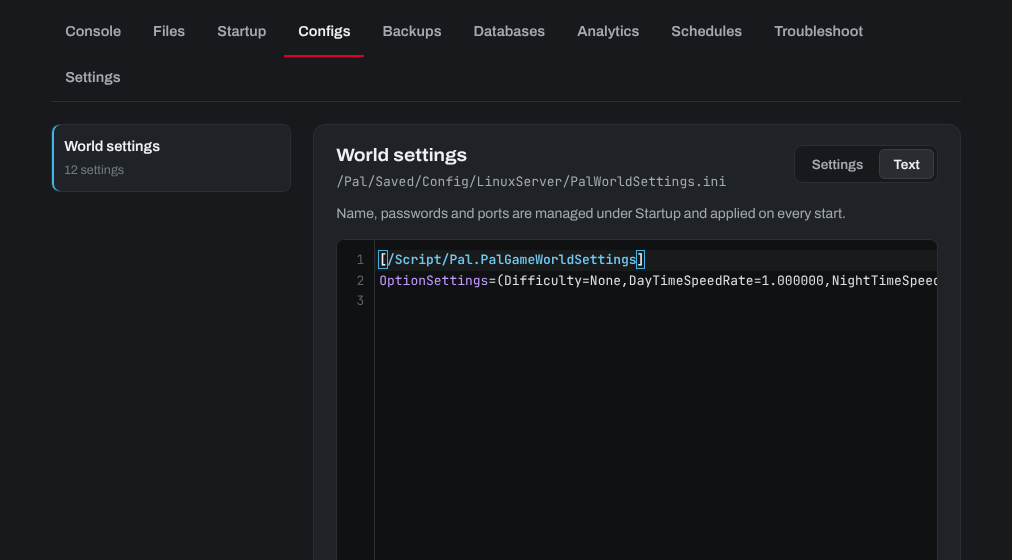
- Find
PalEggDefaultHatchingTimeon theOptionSettings=line. Keep the file's format as it is: settings are separated by commas, inside the brackets. Change its value, for examplePalEggDefaultHatchingTime=1.000000. - Click Save, then Restart at the top of the page.

The new time applies once the server has restarted.
Need help? Open a support ticket and we'll take a look.