
You can switch your 7 Days to Die server between the stable version and the experimental (or an older) version of the game whenever you want, from the control panel.
- Sign in to the control panel at panel.chicagoservers.co and open your 7 Days to Die server.
- On the Steam update bar at the top of the page, click Branch.
- Choose the version you want (for example the latest experimental, or a previous release) and click Switch branch. The panel downloads that version; the server stops for it and starts again by itself when it's done.
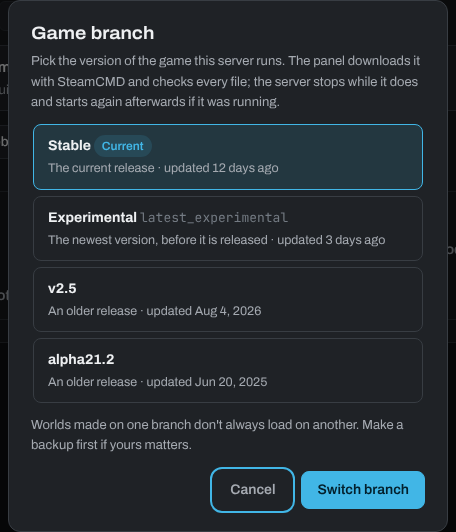
Data loss isn't expected, but saves made on a newer version may not load on an older one. Make a backup on the Backups tab first, to be safe.
You can switch as often as you like. Mods need to match the game version: a mod made for another version may not load.
Need help? Open a support ticket and we'll take a look.