
Some plugins and mods need a port of their own, for example a web map (Dynmap), a voice server or a second query port. You can reserve up to 10 extra ports for your server yourself.
- Sign in to the control panel at panel.chicagoservers.co, open your server and open the Startup tab.
- Scroll down to Network. It lists the ports your server already has. Under Extra ports, leave Port empty for the next free one (or type the one you want, from 1024 to 65535), choose the Protocol, and fill in What it's for if you like.
- Click Reserve port.
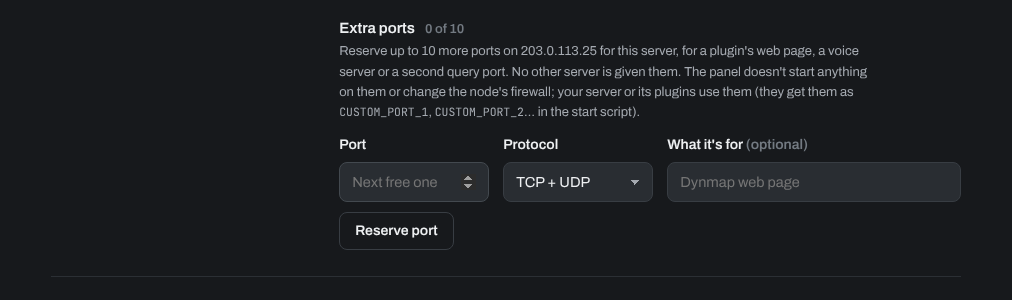
Then set that port in your plugin's or mod's config and restart the server. No other server is given it. The panel doesn't start anything on it: your server or its plugins use it. They also get it as CUSTOM_PORT_1, CUSTOM_PORT_2 and so on in the start script, from the next start.
To give a port back, click Release next to it. If players can't reach a service on your extra port, open a support ticket.
Need help? Open a support ticket and we'll take a look.